How to make an invoice that gets paid
The work is done, and now you have to ask for the money in a form an accounting department will accept. Learning how to make an invoice is mostly learning a short checklist: a handful of details that must be present, laid out so nobody has to email you a question, sent as a file nobody can accidentally edit.
This guide walks through that checklist, shows how to fill a free invoice template in your browser and download a clean PDF, and covers the two things that actually determine how fast you get paid: numbering that holds up to scrutiny and follow-up that does not burn the relationship.
What to include when you make an invoice
An invoice is a legal document with tax consequences, and the required content is reassuringly standard:
- A unique, sequential invoice number. Tax authorities notice gaps and duplicates, and clients quote it when they pay.
- Your details and the client's. Names and addresses for both sides, plus tax or VAT numbers where they apply.
- Line items. What was delivered, the quantity, the unit price and the amount, itemised enough that nobody has to ask.
- Dates and terms. The issue date, the due date, and the payment terms in plain words: "Net 14" or "due on receipt".
- How to pay you. Bank details or wherever the money should go. Every missing detail adds a day to the delay.
If you are not sure the document you owe is actually an invoice, rather than a quote before the work or a receipt after the money, invoice vs receipt vs quote settles it in two minutes: same job, three points in time.
Make an invoice with the free template
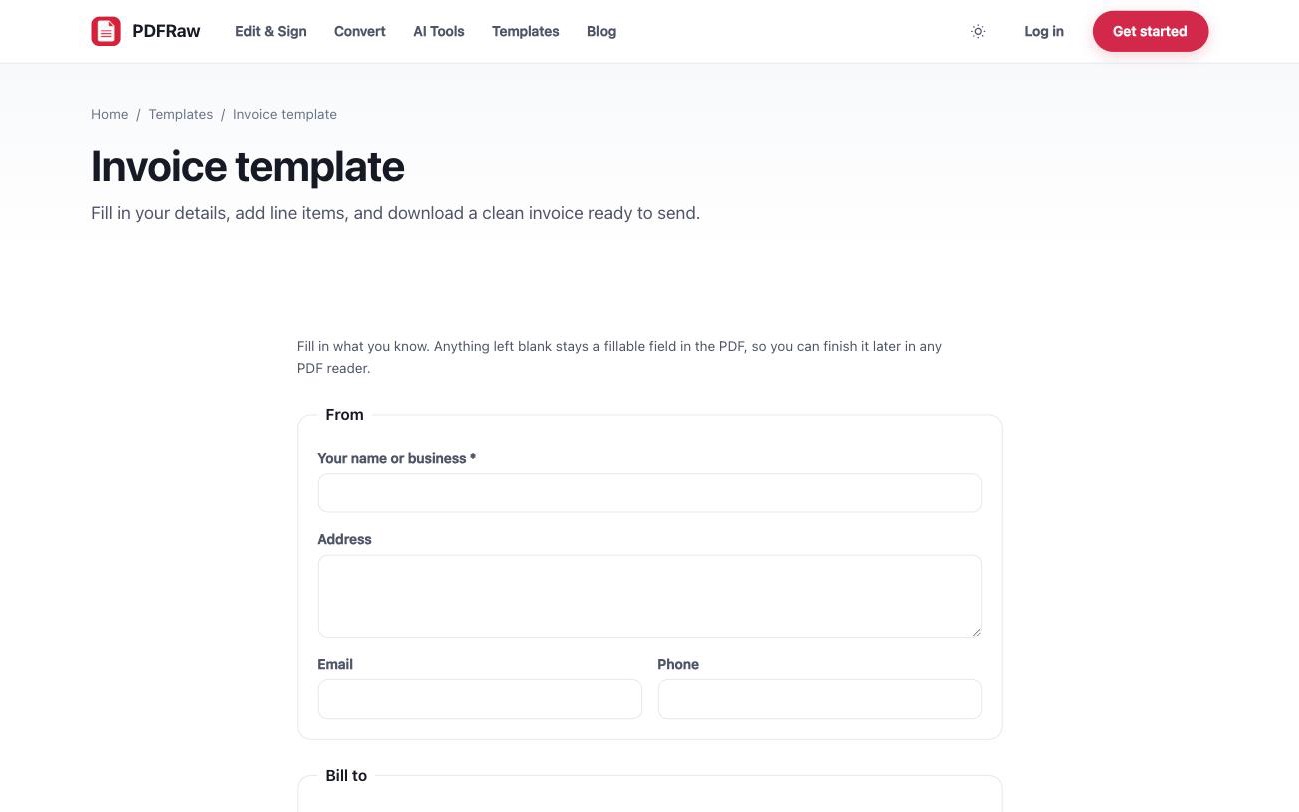
The free invoice template has that checklist laid out as a fillable form. It works entirely in the browser: no spreadsheet, no account, and the downloaded PDF carries no watermark.
- Open the invoice template in your browser.
- Fill in your details under From: your name or business, address, email and phone. Include your tax or VAT number with your address if one applies.
- Fill in the client's name and address under Bill to.
- Set the invoice number, issue date and due date.
- Add line items with a description, quantity, unit price and amount, then enter the subtotal, tax and total due.
- Put your bank details and any payment instructions in the payment notes, then download the finished invoice as a PDF.
Send the PDF, not an editable file, so the numbers cannot shift in transit. If your clients expect a signed invoice, how to sign a PDF online covers adding a signature before it goes out.
Invoice numbering schemes that hold up
The rule is sequential and unique; the scheme is up to you. Three that work in practice:
- Year plus counter: 2026-001, 2026-002. The sensible default. It sorts correctly, resets readably each January, and does not announce your total invoice count to clients.
- Client prefix: ACME-2026-001. Worth adopting once several clients generate paperwork, because the number alone tells you whose it is.
- Plain counter: 0001 onwards. Perfectly valid, though invoice 0002 tells a client more about your order book than you might intend.
Whichever you pick: never reuse a number, never skip one to look busier, and if you void an invoice, keep the record and move to the next number rather than pretending it never existed. Gaps are exactly what auditors ask about.
When to send an invoice and how to chase it
Send the invoice as soon as the work is done or the agreed milestone is reached. Every day between finishing and invoicing is added before the payment clock even starts, and a prompt invoice reads as competence, not impatience.
When the due date passes, chase politely and specifically. Most late payments are misplacement rather than refusal, so the tone that works is a helpful nudge:
- A day or two after the due date: a short note referencing the invoice number and amount, with the PDF reattached. Assume it slipped through, because it usually did.
- A week later: a firmer message asking for a specific payment date, still civil.
- After that: a phone call, and for the next engagement, terms that protect you better, such as a deposit up front or shorter payment terms.
When the money arrives, close the loop with a receipt that references the invoice number. Clients need it for their books, and issuing one unprompted is the kind of small professionalism people remember.
The paperwork around the invoice
An invoice rarely travels alone. Before the work there is the quote template, which proposes the price the invoice later has to match. After the money there is the receipt template. And when you bill by the hour, a timesheet backs the line items with recorded hours. How the three core documents relate is covered in invoice vs receipt vs quote.
All of these fill in the browser and download as clean PDFs, free, with no watermark and no account, from the templates page. The fields stay editable, so next month's invoice starts from this month's. Templates you did not know PDFRaw had covers the rest of the library, including a project status report and meeting minutes for the work between invoices.
There is one more piece of paperwork on a first invoice to a new client: they will usually ask for a tax form before they can pay you. Which one depends on where you are and how you are engaged, and W-9, W-4 or W-8BEN sorts out which of the three they actually need. Months later the same client may send you a 1099 for what they paid; 1099-NEC, 1099-MISC or 1099-K explains which one to expect and what to do if two arrive for the same money.
Frequently asked questions
Do I need software to make an invoice?
No. The free invoice template fills in your browser and downloads as a clean PDF, without an account, a spreadsheet or a watermark.
What number should my first invoice have?
Anything sequential works. 2026-001 is a sensible start: it sorts correctly, resets each year, and does not announce that this client is your first.
What payment terms should I put on an invoice?
State them in plain words: "Net 14" means payment is due 14 days from the issue date, "due on receipt" means immediately. Thirty days is a convention, not a law of nature; shorter terms are normal for small businesses.
Should I send the invoice as a PDF or a Word file?
As a PDF. It renders identically everywhere and is awkward to edit accidentally, which matters for a document full of numbers. Keep the editable version for yourself.
What is the difference between an invoice and a receipt?
An invoice requests payment; a receipt records that the payment arrived, when, and how. Send the invoice when the work is done, the receipt when the money lands, and file both against the same invoice number.