How to sign a PDF online without printing it
Print, sign, scan, email. Four steps, one printer you may not own, and a result that looks worse than what you were sent. Signing a PDF on screen replaces all of it.
This guide covers the three ways to create an electronic signature, where such signatures are legally binding and where they are not, and what to do when the document has more blanks than just the signature line.
Sign a PDF in your browser
- Open the Sign PDF tool and upload the document you need to sign.
- Draw, type or upload your signature.
- Place it where it belongs, resize if needed, and download the signed PDF.
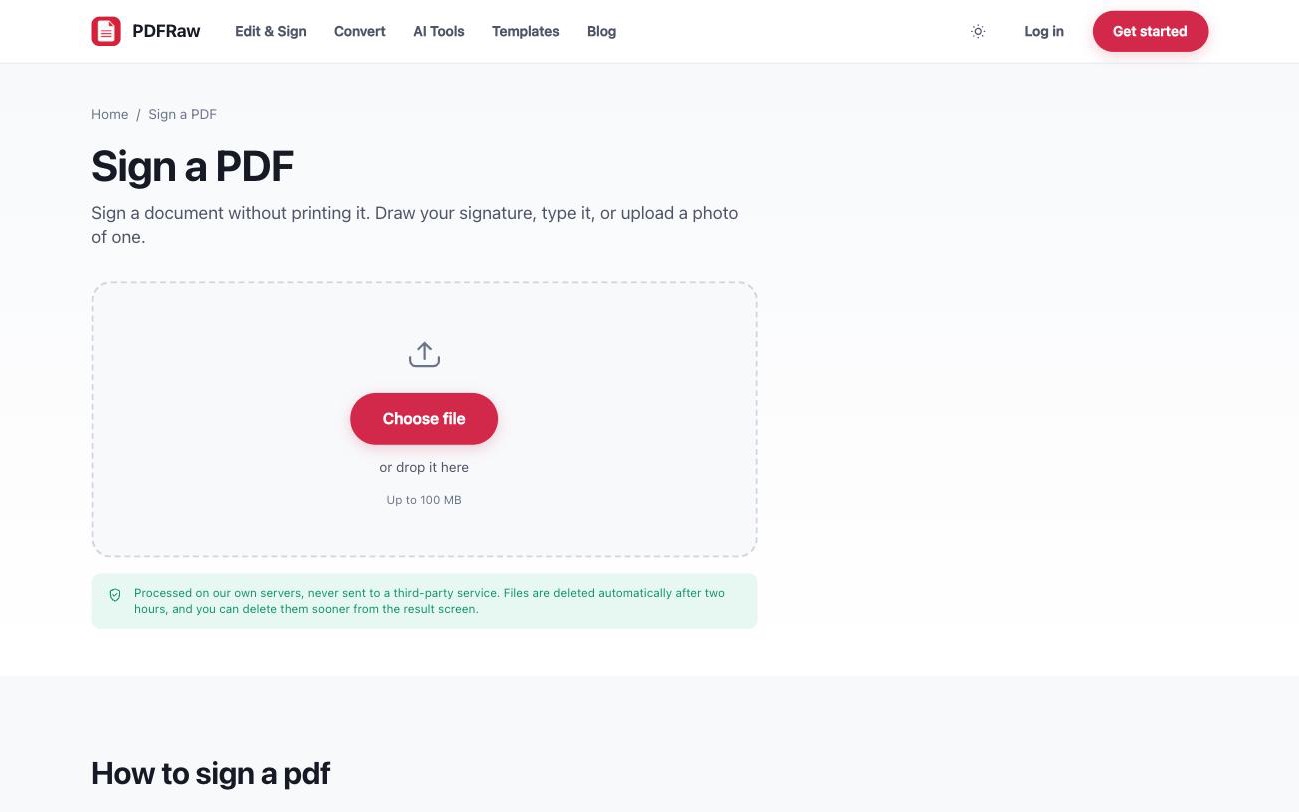
You can save your signature once and reuse it with one click next time. Nothing to install, no account required, and the file is deleted from our servers two hours after upload.
Draw, type or upload: which signature to use
- Draw with a mouse, trackpad or finger. On a phone or tablet this comes closest to your paper signature. On a desktop with a mouse, expect it to take a few attempts.
- Type your name and pick a handwriting style. Fast, tidy, and exactly as valid legally as a drawn one for ordinary agreements.
- Upload a photo of your real signature on paper. The background is removed automatically, so it sits cleanly on the page. This is the option that looks most like ink.
Whichever you choose, the result is a visible signature placed on the page. Documents look best when the signature sits on the printed line at a believable size, roughly what a pen would produce.
Is an electronic signature legally binding?
For ordinary agreements, yes, in most of the world. The US ESIGN Act and the EU eIDAS regulation both give typed and drawn signatures legal effect for everyday contracts: offers, NDAs, leases, invoices, consent forms, and the promissory note behind a personal loan.
There are exceptions. Certain wills, property deeds, court filings and notarised documents still require a handwritten or witnessed signature in many jurisdictions. Some regulated workflows also require a cryptographic certificate signature, which is a different thing from a visible signature on the page. If your document is in one of those categories, check what it specifically requires before relying on any e-signature tool.
Honest advice: for the everyday paperwork most people sign, a visible electronic signature is fine, and the party sending you the document usually expects one.
A power of attorney is the clearest case for signing on paper instead. Execution rules are set by state law, usually involving a notary or witnesses, and banks expect to see the notarized original. How to set up a power of attorney covers those rules alongside the decisions behind the document. Typed, drawn, uploaded or notarized goes wider on which category a given document falls into, including forms that specify signing in front of a named person rather than in advance.
When there is more to fill in than the signature
Most documents that need signing also need dates, initials, names and ticked boxes. You can add all of those in the same pass with the sign tool, or use the Fill PDF form tool when the document is form-heavy. It works even on flat scans with no real form fields: click anywhere on the page and type.
For more substantial changes to the document itself, wrong amounts, missing clauses, there are two routes: edit the PDF directly for small fixes, or convert it to Word when the edits are heavy.
After signing: protect and send
A signed contract is worth protecting from casual edits. Adding a password with the Protect PDF tool means the file cannot be opened without the password you share separately. It is not an absolute guarantee, but it keeps the signed version the signed version in normal use.
If the signed file is a stack of scans and too large to email, compress it before sending. And if you uploaded a photo of your signature and it arrived inside a white rectangle sitting on top of the printed line, getting rid of the white box around a scanned signature is a one-click fix in the same dialog.
Frequently asked questions
Is signing a PDF online free?
Yes. The sign tool is free, with no watermark on the signed document and no account required.
Is a typed signature as valid as a drawn one?
For ordinary agreements, yes. ESIGN and eIDAS are concerned with intent to sign, not with how the signature looks. Typed, drawn and uploaded signatures all carry the same weight for everyday contracts.
Can the recipient tell the PDF was signed electronically?
They see a visible signature on the page, the same as they would on a scan of a hand-signed page. This is not a cryptographic certificate signature, which some regulated workflows require and which shows up in PDF readers as a verified signing identity.
Can I sign on my phone?
Yes, the tool runs in the browser on iOS and Android. Drawing with a finger on a touchscreen is actually the closest match to a paper signature.
What happens to my document after I sign it?
It is processed on our own servers, never handed to a third-party API, and deleted automatically two hours after upload. You can delete it sooner from the result screen.
Related articles

How to set up a power of attorney, decision by decision
Promissory note, loan agreement or IOU: what to put in writing when you lend money

How to fill out a PDF form that will not let you type

Typed, drawn, uploaded or notarized: which signature actually holds up