How to fill out a Dutch government form when you do not read Dutch
KVK and the Belastingdienst publish their forms in Dutch and only in Dutch. That is not an oversight, and there is no English edition waiting somewhere: the Handelsregister form you have to sign, and the objection form you have to post, exist in one language.
The realistic goal is not to find an English version. It is to understand what each box wants, put the right thing in it, and file the Dutch original. This walks through how to do that on PDFRaw, across the 60 Dutch forms in the catalog, and where the approach stops working.
Start on the English side of the form page
Every Dutch form in the catalog has a page written in English around the Dutch PDF. KVK form 1 explains that an eenmanszaak has exactly one owner and that you can only ever own one of them. The bezwaar form for individuals says which assessments it covers and that you have six weeks. The expatregeling application explains what the 30 percent ruling actually is before you touch a field.
Each page carries the same four things: what the form is, who files it, a numbered walk through the sections, and the questions people actually ask about it. Read those before filling anything in. Half of what makes a Dutch form hard is not vocabulary, it is not knowing which of five similar forms you are holding, and that part is answered in English.
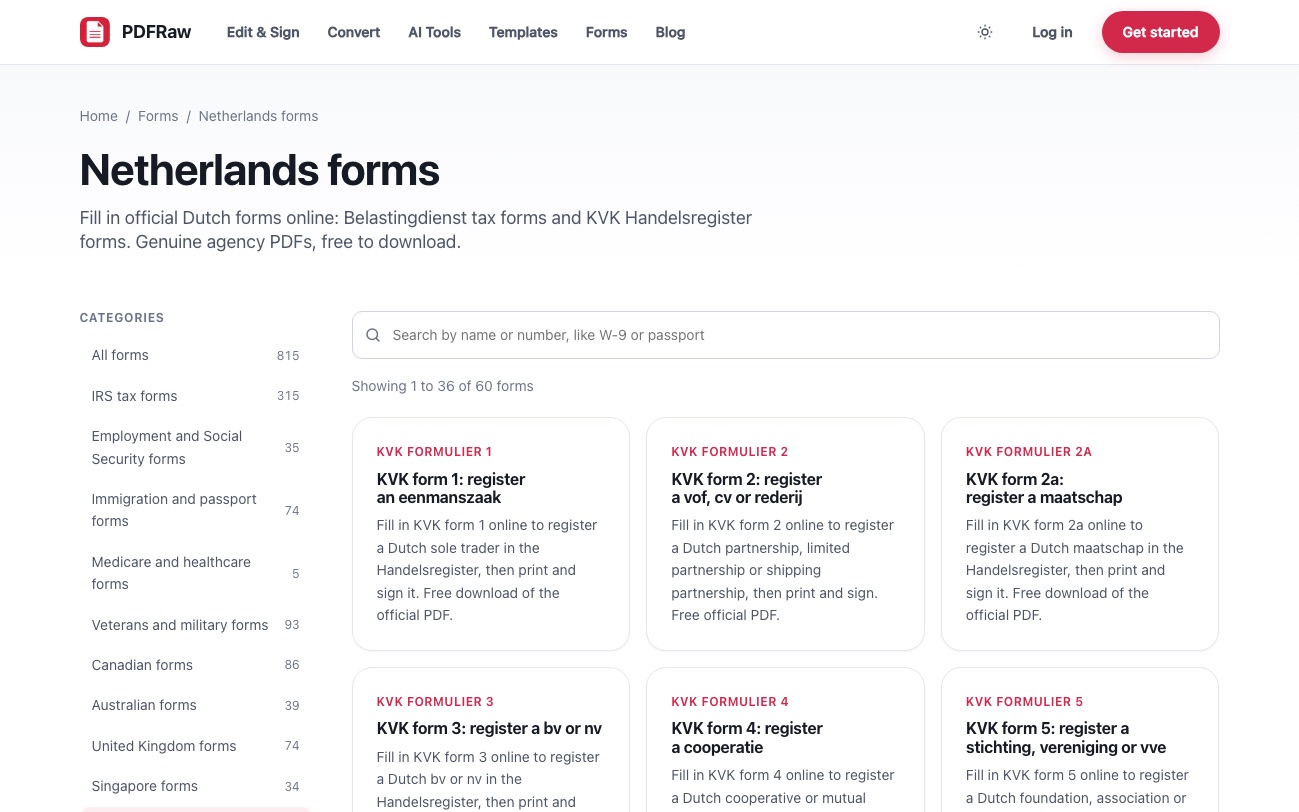
Finding the right one works in Dutch too. The search on the Dutch forms hub indexes each form's Dutch keywords, so typing eenmanszaak surfaces form 1, bezwaar returns both objection forms, and betalingsregeling returns the private and business payment plan requests. You do not have to know the form number.
The box labels are the Dutch question, not a field name
This is the part that makes a foreign form workable. Every box on the quick fill form is labelled with the question printed beside it on the paper, read straight off the page rather than taken from whatever the PDF calls the field internally.
It matters more on Dutch forms than on most. Of the 790 checkbox and radio fields across the 39 KVK forms, 789 carry the same tooltip, "vink aan indien", which tells you nothing at all, so the printed question is the only useful text there is: "Een natuurlijk persoon.", "Handelsnaam of handelsnamen." Belastingdienst forms go the other way and write long, numbered Dutch tooltips, so the objection form reads as "Vraag 1c: Uw postcode" and lines up box for box with the paper you will print.
Either way you get real Dutch sentences rather than "Text47", which is what makes a phrase-by-phrase translation possible. Why a government form calls a box Check Box 23 covers how that reading works and why it was needed.
Filling one out, start to finish
- Find the form on the Netherlands hub, by number or by a Dutch keyword, and open its page.
- Read the English sections: what it is, who files it, and the step by step. Note anything in the caution box, because that is usually the thing that gets a filing rejected.
- Fill in the boxes under "Quick fill" on the same page. Work down the Dutch labels; each one is the question printed on the paper.
- Let your browser autofill the identity fields, then check them. Name, address and date of birth boxes are tagged so a saved profile drops into them.
- Download the filled PDF, and check it against the preview of the blank form on the page before you send anything.
- Print it and sign it in pen where the form asks for a signature. KVK forms in particular do not accept a scanned or copied signature.
If a form is long enough that you would rather work on the document itself, open it in the editor instead: it loads the same official PDF with its fields live, and you type into the page rather than into a list.
What the browser can fill in for you
The tedious half of any government form is your own details, typed again. Those boxes are tagged with the autofill hint that matches the Dutch caption, so a browser profile fills them the way it fills an English checkout: achternaam is read as a family name, voornamen and voorletters as given names, tussenvoegsel as the middle part of a Dutch surname, geboortedatum as a date of birth, straat, huisnummer and adres as a street address, woonplaats as a town, and bedrijfsnaam as an organisation. Across the 60 Dutch forms that tags a little over 900 boxes.
One box you will always type yourself: a burgerservicenummer carries no autofill hint, and neither does a KVK number. Check what the browser did drop in before you download, because a saved profile with an old address will fill it in as confidently as a current one.
Dates, postcodes and amounts, the Dutch way round
Three kinds of box look familiar and behave differently, and getting them wrong is the commonest way a form comes back.
- Dates. Dutch forms usually split a date into separate Dag, Maand and Jaartal boxes rather than asking for one string, so you get three short boxes and no date picker. Across all 60 Dutch plans only ten boxes take a whole date at once, and when they do the layout is DD-MM-YYYY. Writing 09-04-2026 in a Dutch box means the ninth of April, not the fourth of September.
- Postcodes. A Dutch postcode is "1234 AB", with letters, so those boxes show that as their placeholder and offer an ordinary keyboard. A US ZIP box gets a numeric keypad; a Dutch one must not, which is a small thing that stops the phone keyboard fighting you.
- Amounts. Dutch forms print the euro sign beside the box rather than in the question, so the caption is what identifies an amount. A box captioned Bedrag or Totaalbedrag is rendered as a money field with a euro prefix and a decimal keypad.
Date layouts are the one that catches out anyone filing across two countries. Why one form wants 09/04/2026 and another wants 2026-09-04 is the long version.
Translate a copy, file the original
When the label is not enough, and on the longer Belastingdienst forms it sometimes is not, download the blank PDF and run that copy through Translate PDF to read the instructions and the small print in English. Do that on a spare copy, deliberately.
The form you fill in, sign and post has to be the Dutch original. A translated copy is a reading aid, and nothing more: it is not the document the agency published, it is not what KVK or the Belastingdienst will accept, and machine translation of a legal instrument is reliable enough to understand and not reliable enough to rely on. Anything with real consequences, an inheritance tax return or a dissolution, is worth a Dutch speaker or an adviser reading it with you.
That leaves two honest limits. Nothing here translates the form you file, and nothing here tells you which form is the right one for your situation, only what each one is for. When the choice itself is the problem, which KVK form you need and a Dutch tax bill you cannot pay sort the two largest sets by the job rather than by the number.
Frequently asked questions
Are there English versions of Dutch government forms?
Generally no. KVK and the Belastingdienst publish these forms in Dutch, and the Dutch original is what you have to sign and file. What PDFRaw adds is an English explanation of each form around the genuine Dutch PDF.
Will the boxes on the fill form be in English?
No. Each box is labelled with the Dutch question printed beside it on the paper, which is deliberate: it lines up with the form you will print, and it gives you a real sentence to translate rather than an internal field name like Text47.
Can I file a translated copy of the form?
No. Translate a spare copy if you need to read the instructions, but fill in, sign and send the Dutch original. A translation is not the document the agency published.
How do I find a Dutch form if I do not know its number?
Search the Dutch forms hub with an ordinary Dutch word. The index carries each form's Dutch keywords, so eenmanszaak finds KVK form 1 and bezwaar returns both objection forms.
Why does the date have three separate boxes?
Because that is how the Dutch form is printed: separate day, month and year boxes rather than one date field. Fill them as Dag, Maand and Jaartal. Where a form does take a whole date in one box, the layout is DD-MM-YYYY.
Can I sign a Dutch form electronically?
Not the KVK ones. They are printed and signed by hand, and form 2 states that a scanned or copied signature is not accepted. Fill the PDF online to avoid handwriting the whole thing, then print and sign.